

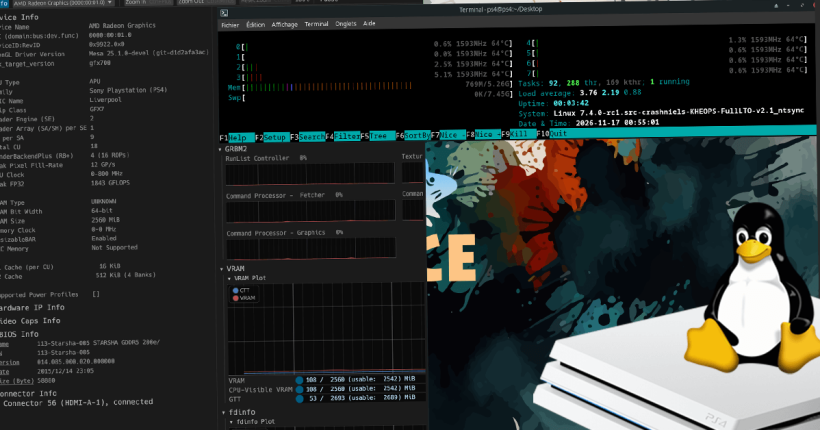
saya recently released multi-resolution kernels (6.15.4) for PS4 Aeolia and Belize. Taking it further, he has now released kernel 7.4.0-rc1 for PS4 Aoelia and Belize (Slim, Fat, Pro). He does mention he used AI tools to port crashniels‘ 6.15.4 source to 7.4.
Kernel 7.4.0-rc1 for PS4 Linux Aoelia and Belize: Features
- Multiple performance patches, including patches from linux-tkg like this and this.
- Multiple resolution support (720p to 4K 30Hz). Note that Phat Aeolia can do only upto 1080p 60Hz.
- NTSYNC enabled.
- WiFi and Bluetooth fix for PS4 FAT Belize CUH-1215 and CUH-1216 (Credits – package).
- Zram enabled.
- And more…
Download kernel 7.4.0-rc1 for Aeolia and Belize
Kernel 7.4.0-rc1 in action on PS4 (Aeolia/Belize): Video
How to boot kernel 7.4.0 on PS4 Linux (Aeolia/Belize)?
- Once you download the zip archive from the above links,extract it and get the bzImage.
- Copy bzImage to your PS4 Linux drive, replacing the existing one (Check detailed instructions).
- If you plan to use 1080p on PS4 Linux, saya recommends setting 1080p resolution in Orbis OS. Similarly, if you plan to use 4K, set 2160p – RGB as default resolution in Orbis OS. Remember, you will need a 4K monitor or TV if you want to have 4K. Then, move to next step.
- Load Linux payload, using your favourite exploit/jailbreak page.
- You should now boot into your PS4 Linux distro.
Conclusion
For further quick updates, do not forget to follow saya‘s YouTube channel.
Leave a Reply