

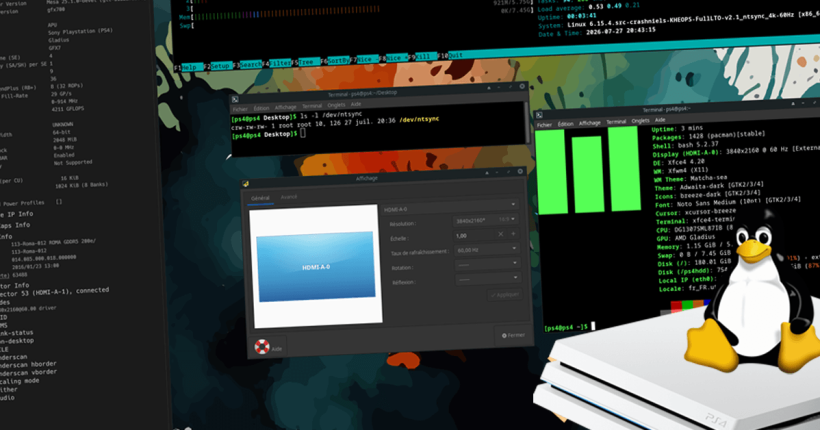
For a very long time, PS4 Linux users have been stuck on a maximum resolution of 1080p at 60Hz. All that changed a year ago, when saya and mircoho started work on 4K support for PS4 Linux. And today, we are way past that point. The KHEOPS team developer, saya has released multi-resolution 6.15.4 kernels for Aeolia and Belize PS4s with support for 4K at 60FPS on PS4 Pro Linux, among other interesting features.
Multi-resolution 6.15.4 kernels for PS4: Features
Let me quickly list them out the newer features in these kernels:-
- Support for multiple resolutions (720p to 4K), which can be changed directly from PS4 Linux.
- Support for multiple refresh rates (60-120Hz),
- Gaming patches – NTSYNC and FSYNC support.
Download multi-resolution PS4 Linux kernels by saya
- Pack – 6.15.4 Aeolia Belize Multi-resolution kernels (pCloud)
- Pack – 6.15.4 Aeolia Belize Multi-resolution kernels (1Fichier)
The pack also includes a custom MangoHud configuration file. More on that later in this article.
Multi-resolution kernels in action: Videos
saya has shared a few videos showing the kernels in action with some gaming clips/screenshots and the live process of switching resolution and refresh rate. Here they are:-
How to use multi-resolution kernels on PS4 Linux?
Once you download the kernel pack from the above links, you will find the following folders within, each containing a bzImage file:-
- 6.15.4.src-crashniels_KHEOPS_FullLTO-v2.1_ntsync_1080p100Hz_belize’
- 6.15.4.src-crashniels_KHEOPS_FullLTO-v2.1_ntsync_4k60Hz_wifi_MT7668_belize
- 6.15.4.src-crashniels_KHEOPS_FullLTO-v2.1_ntsync_1080p120Hz_belize
- 6.15.4.src-crashniels_KHEOPS_FullLTO-v2.1_ntsync_4k60hz_belize
- 6.15.4.src-crashniels_KHEOPS_FullLTO-v2.1_ntsync_1080p60Hz_aeolia-belize
- 6.15.4.src-crashniels_KHEOPS_FullLTO-v2.1_ntsync_1080p60Hz_multiresolution_belize playroom_arriere_plan_PS4pro
- 6.15.4.src-crashniels_KHEOPS_FullLTO-v2.1_ntsync_1080p60Hz_multiresolution_wifi_MT7668_belize
The names are self-explanatory. If you see only ‘belize‘ in the filename, chances are it won’t work for Aeolia models.
Also note that currently 4K 60 is only available for PS4 Pro, while Slim and Phat models must be able to hit 4K at 30 FPS.
How to boot multi-resolution kernels?
- Once you have decided upon the bzImage file you want to use, copy it to your PS4 Linux drive, replacing the existing one (Check detailed instructions).
- If you plan to use 1080p on PS4 Linux (Aeolia only supports 1080p), saya recommends setting 1080p resolution in Orbis OS. Similarly, if you plan to use 4K, set 2160p – RGB as default resolution in Orbis OS. Remember, you will need a 4K monitor or TV if you want to have 4K. Then, move to next step.
- Load Linux payload, using your favourite exploit/jailbreak page.
- You should ow boot into your PS4 Linux distro.
How to change resolution and refresh rate on PS4 Linux?
Once booted, go into your distro’s Monitor settings (will vary for each distro) and change resolution and refresh rate.
saya recommends users to switch to 1080p60 before they switch to any other resolution. This has to be done every time.
How to use NTSYNC in PS4 Linux gaming?
saya has provided download link for Wine staging version he used with Lutris to utilise NTSYNC. Download it below and set it up with Lutris:-
MangoHud conf file for detailed information on PS4 Linux
In the kernel pack archive, saya has also included a MangoHud.conf file. This can be copied to the .config folder for MangoHud, which is usually /home/ps4linux/.config/MangoHud (where ps4linux is your username).
Then, MangoHud would start showing additional information including whether NTSYNC or FSYNC is being used, distro’s name, kernel information, etc., like this:-

Conclusion
Have you tried the kernels on your PS4? Let us know how it goes.
Leave a Reply